User Interface Guidelines
Visa mandates strict adherence to its design standards to ensure consistency, security, and a seamless user experience across all payment interfaces. These guidelines are essential for maintaining brand integrity and providing users with a trustworthy payment process. Compliance with Visa's UI requirements is not optional; it's a critical component of integrating Visa payment solutions.
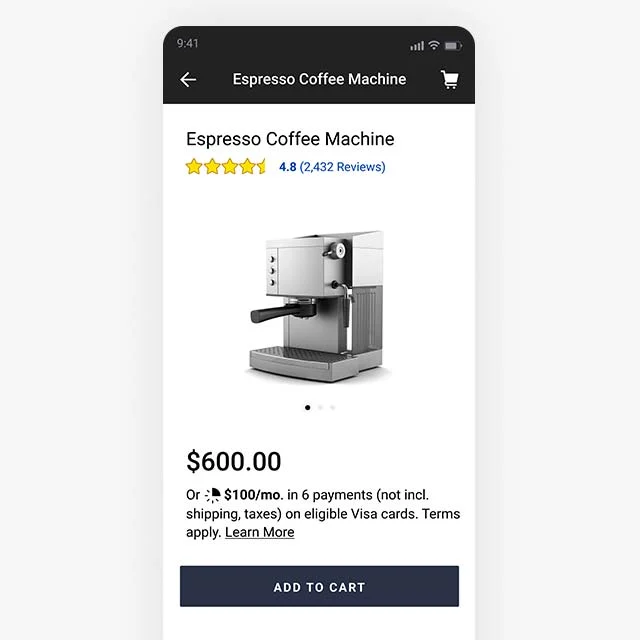
1. Confirm Cart Total
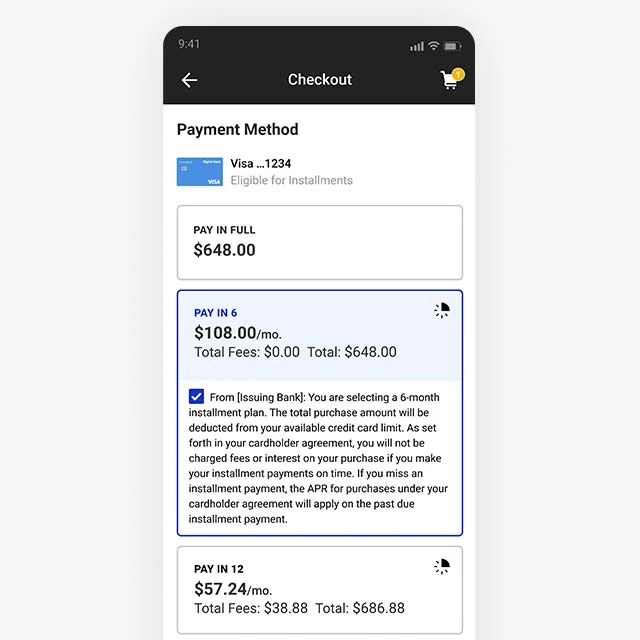
2. Show Payment Plans
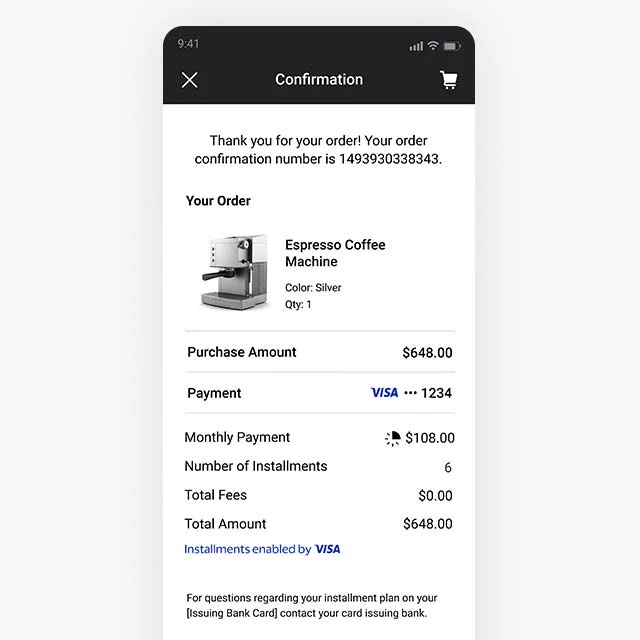
3. Create Payment with Plan
UI to API Mapping Guide
Based on the API response in the previous page, you must use each object in the plans array to render the plan.
| UI Element | API Response Field |
|---|---|
| "Pay in X" (e.g., "Pay in 3") | paymentPlans[i].duration |
| "X QAR/month" (e.g., "336.62 QAR/month") | paymentPlans[i].installment.value paymentPlans[i].installment.currency paymentPlans[i].frequency |
| "Monthly rate: X%" (e.g., "Monthly rate: 0.33%") | paymentPlans[i].rate |
| "Processing Fee: X.XX QAR" (e.g., "Processing Fee: 0.00 QAR") | paymentPlans[i].processingFee.value paymentPlans[i].processingFee.currency |
| Terms & Conditions | paymentPlans[i].tnc.en.text paymentPlans[i].tnc.en.url |